
Business Verification (KYB)
The KYB must be turned on in your Admin Settings Tab
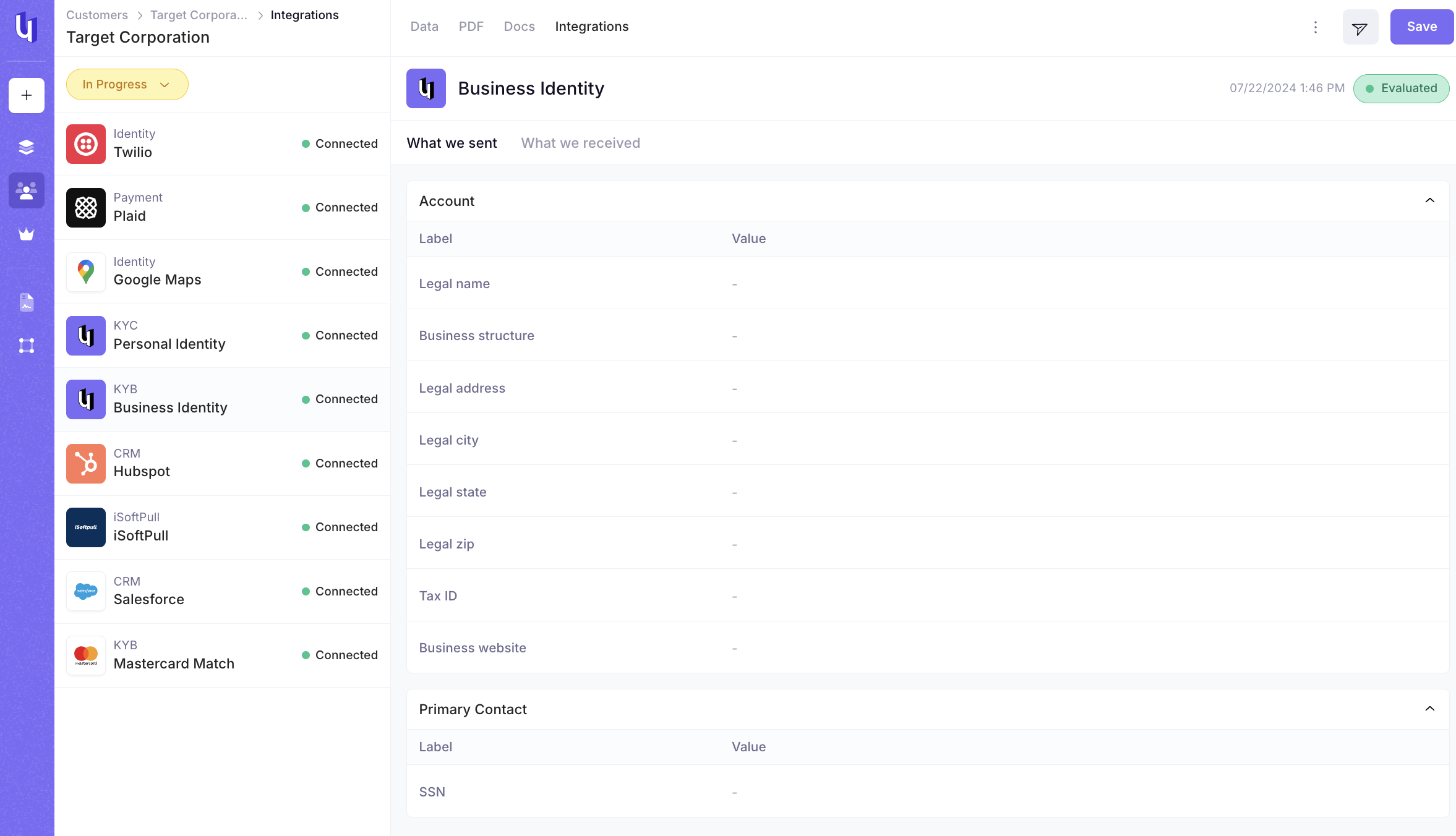
What we send
- Legal Name
- Business Structure
- Legal Address (5 fields)
- Tax Identification Number (EIN)
- Business Website
- Social Security Number (SSN) of the applicant
What we receive
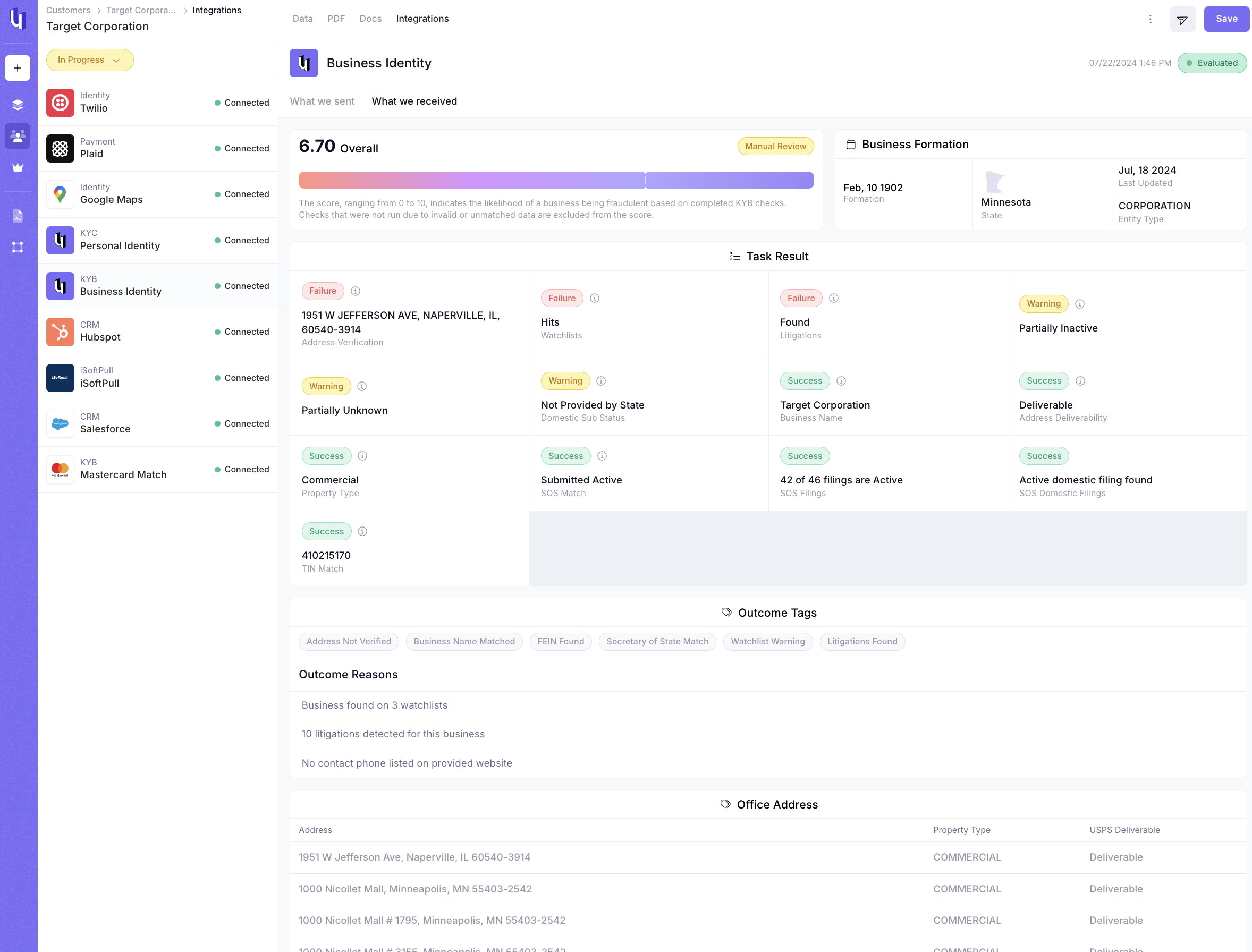
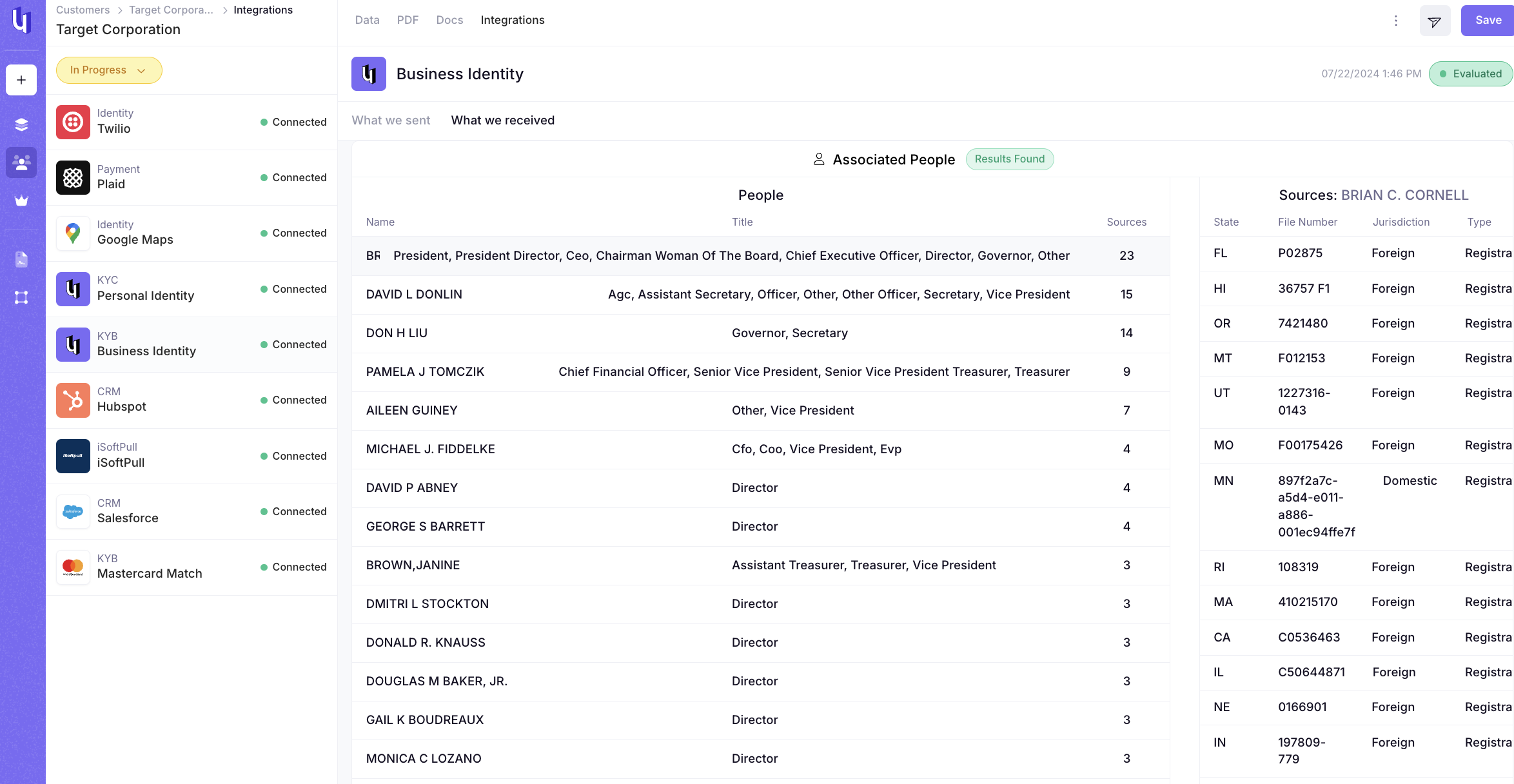
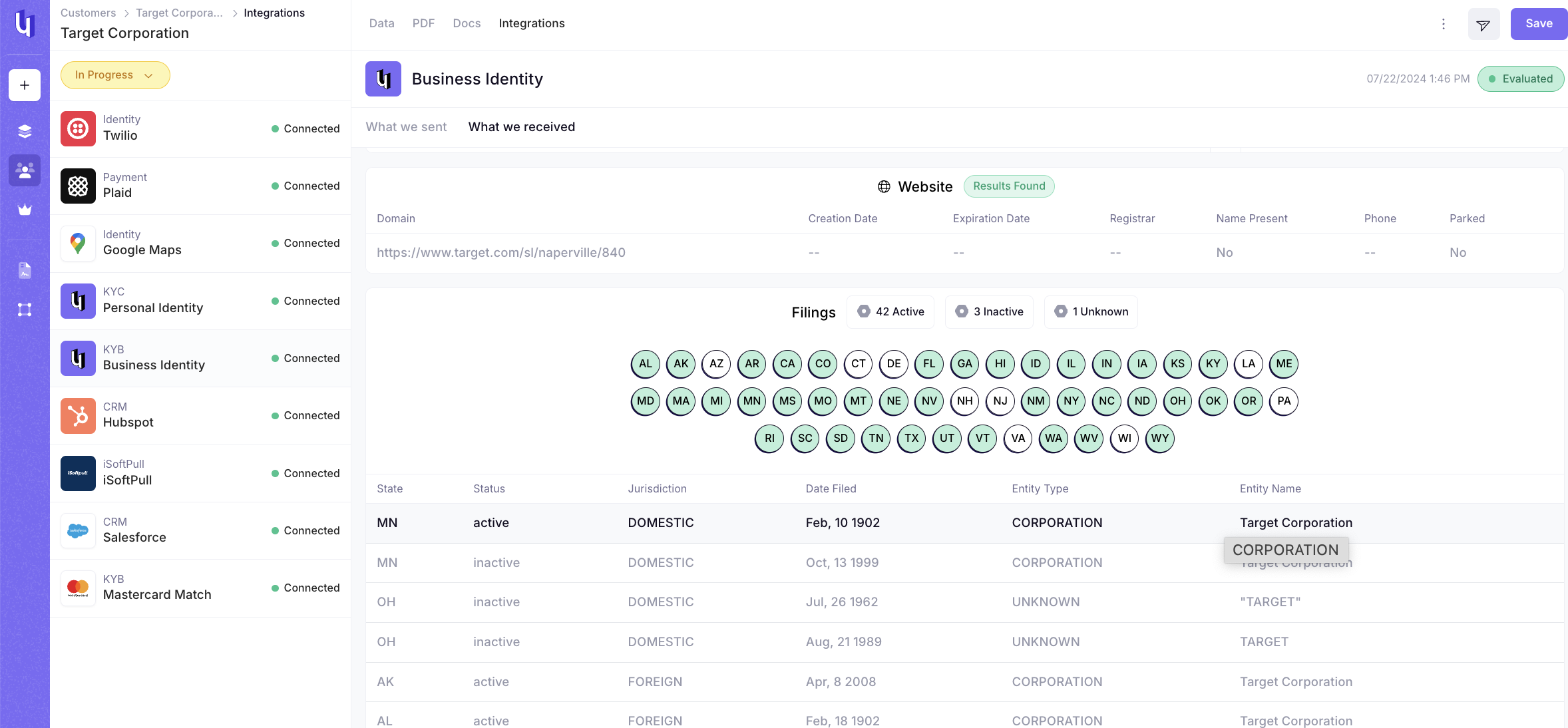
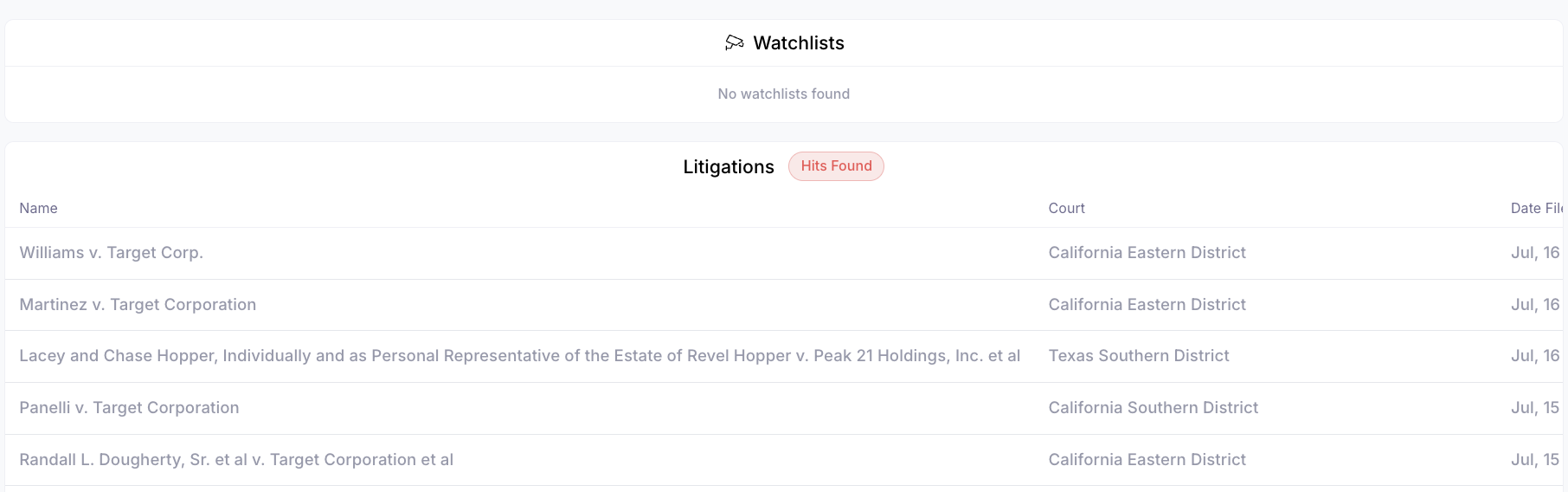
- Screenshots below to show
- Tax Identification (EIN) Match, SOS Match, State Filings, Business Name Match, Address Verification, Address Deliverability, Property Type, Officers Associated with the business, Website Scan, Watchlist, Litigations
- Hyperlink to more detail
If there is missing data you will see a wrench icon in the field row with missing data. The wrench icon is an anchor to field in the Customer Record Data view if you have the field on your Template.
If Integration is not configured correctly you will see a message at the top of the page. This link is an anchor to the Template > Integration View